Is Digital Curriculum Good for Visual Learners?

Last Updated: November 13, 2026
Quick Summary
A digital curriculum works for visual learners when visuals carry the thinking instead of decorating it: every graphic explains a relationship, text and image sit close together, and your child produces something visible each week. The test is simple: if your child can redraw the main idea from memory after a lesson, the format is doing its job.
- Score lesson design at 30 percent when weighing any digital curriculum for your child.
- For ages 6 to 8, prioritize adjustable pacing and large, labeled visuals.
- For ages 9 to 11, check whether the app offers a sketch pad or chart builder.
- Have your child sketch a lesson's main idea from memory, then compare it to the source.
- Above 75 on the weighted framework means the program is worth a two-week trial.
Table of Contents
- What Makes a Digital Curriculum Work for Visual Learners
- Homeschool Curriculum for Visual Learners: What to Look For
- Math Curriculum for Visual Learners: Concepts That Click
- Educational Apps for Visual Learners: Features That Matter
- Visual Learning Activities for Homeschool: Beyond the Screen
- How to Evaluate Digital Curriculum for Visual Learners
- Try a Story-Driven Lesson with Your Visual Learner Today
- Frequently Asked Questions
What Makes a Digital Curriculum Work for Visual Learners
A digital curriculum works for visual learners when it turns abstract ideas into something a child can see, map, and remember.
The catch is that "visual" does not mean "more pictures." A slideshow of clip art teaches nothing. What separates a curriculum that works from one that decorates is whether the visuals carry the thinking.
Here is the test we would apply to any program, including our own:
- Every graphic explains a relationship, not just fills space
- Text and image sit close together so the child connects them
- The child produces something visible, a sketch, a chart, a labeled map
- Lessons build in sequence, so earlier visuals become tools for later ones
A 2016 review of visual displays across disciplines, led by researcher D. Guo and colleagues, examined learner-oriented approaches such as training and pre-training around visuals. The takeaway for parents is simple: visuals help most when a child is taught how to read them, not just shown them.
That distinction matters because a digital curriculum for visual learners should reduce confusion, not add it. If your child finishes a lesson able to redraw the main idea from memory, the format is doing its job.
Homeschool Curriculum for Visual Learners: What to Look For
Choosing a homeschool curriculum for visual learners comes down to four checks: does it show the concept, does it let your child respond visually, does it sequence ideas, and does it fit your family's routine. Run those four before you look at anything else.
Most parents shop by subject and grade first. We would flip that order. A beautiful science program that asks a visual learner to absorb paragraphs of explanation will lose your child by week two, no matter how good the content is.
What to look for, in plain terms:
- Diagrams and labeled images that map cause and effect, not decorative photos
- A visible output each week: a drawing, a chart, a comic strip summary
- Short lesson blocks so attention does not collapse mid-explanation
- Printable or hands-on extensions for kids who think with their hands
- Progress tracking you can actually read, so you know what stuck
Watch out: a program can be packed with graphics and still be passive. If your child only clicks "next," the visuals are entertainment, not instruction.
For a deeper look at how interactive apps handle these features, our guide to interactive learning apps for kids walks through what to check on a product page before you subscribe.
Math Curriculum for Visual Learners: Concepts That Click
Math curriculum for visual learners should teach the picture before the procedure. A child who can see why fractions line up on a number line will handle the algorithm faster than one who memorizes steps first.
This is where most math programs split. Some lead with rules and add a diagram as a helper. Others lead with the model and let the rule emerge. Visual learners do better with the second approach, especially in grades 3 through 8, when fractions, ratios, and geometry start demanding spatial reasoning.
Concrete moves that work:
- Draw every word problem before solving it
- Use bar models for comparison and part-whole problems
- Plot fractions on a number line before adding them
- Build geometry with paper, string, or blocks before naming the shapes
A common mistake is treating the drawing as a crutch to drop later. In practice, the habit of sketching the problem is the skill. Keep it.
Educational Apps for Visual Learners: Features That Matter
Start with the visual hierarchy.
Then check accessibility, because the features that help a child with a reading delay, low vision, or attention difficulty are the same features that help any visual learner:
- Captions and transcripts on every video demonstration, so a child who reads faster than she listens can follow along
- Alternative text on images, written to describe the relationship the image shows, not just the object in it
- Keyboard navigation and adjustable pointer size for children who cannot use a mouse precisely
- Adjustable display: text size, contrast, line spacing, and a reduced-motion setting
- Pause, replay, and scrub controls on any animation, so a child can study a single frame
- Progress tracking the parent can read without hunting through a dashboard
Age changes the priority order. For ages 6 to 8, look first at adjustable pacing and large, labeled visuals, because a child that age is still learning to read diagrams.
Subject changes it too. Math apps should show the model before the rule, a bar model or number line the child manipulates. Science apps should let the child label a process diagram rather than only watch a video of it.
Watch out: gamified reward loops, coins, streaks, leaderboards, can crowd out the concept, especially for a child who is already visually distractible. Our breakdown of gamified learning and long-term memory retention explains why the reward has to serve the learning goal, not replace it.
One honest limitation: no app page will tell you whether the visuals carry the thinking. You have to open a sample lesson and run the redraw test yourself. That five-minute check tells you more than any feature list.
Visual Learning Activities for Homeschool: Beyond the Screen
Visual learning activities for homeschool work best when they get your child away from the screen and into making something. A constellation card sort, a hand-drawn timeline, or a paper model of a concept does more for retention than another video.
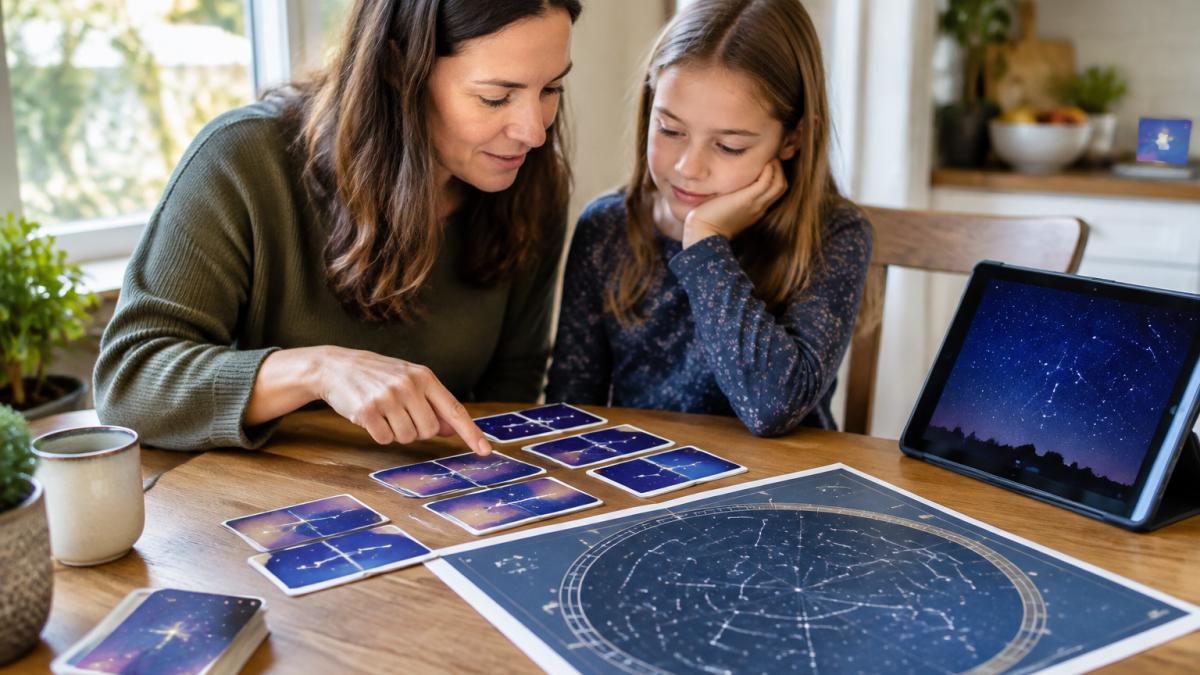
Try these this week:
- Have your child redraw a lesson's main idea from memory, then compare to the source
- Build a timeline on the floor with index cards
- Turn a reading passage into a three-panel comic strip
- Sketch a science process, such as the water cycle, and label each stage
If you want a ready list of screen-free options, our collection of offline activities that build academic and creative skills covers reading, math, and science extensions you can print and use today.
How to Evaluate Digital Curriculum for Visual Learners
Evaluating a digital curriculum for visual learners means scoring it against evidence and fit, not marketing copy.
Lesson design (30 percent). Does every visual name the learning goal it serves? Can you view two full sample lessons before purchase?
Age and subject fit (20 percent). Map the product to your child's grade band and the subject you actually need.
Accessibility (15 percent). Captions and transcripts, alternative text, keyboard navigation, adjustable display, reduced motion, and pause-and-replay on animations.
Progress tracking (10 percent). Can you read what your child completed and what stuck, without exporting a spreadsheet? Is the data readable at a glance?
Offline access (10 percent). Can your child print a lesson or download it for a car ride or a no-wifi day? Visual learners often need to redraw away from the screen.
Support (5 percent). Is there a real person to ask about accessibility or pacing, and a stated response time?
Total cost (10 percent). Add the subscription, any materials or printables you must buy separately, and any add-on for a second child. Compare the total for a full school year, not the monthly headline. A low monthly fee with paid add-ons can cost more than a higher flat rate.
Total the weighted score out of 100. Above 75 means it is worth a two-week trial with your own child.
Cognitive load is the factor parents miss most. Our article on reducing cognitive load in digital learning explains how to spot a design that overloads a visual learner.
Score each criterion from 0 to 2, then weight it to reach a total out of 100.
| Criterion | Weight | What to check |
|---|---|---|
| Lesson design | 30 percent | Every visual names its learning goal; child produces visible work weekly |
| Age and subject fit | 20 percent | Product maps to your child's grade band and subject |
| Accessibility | 15 percent | Captions, alternative text, keyboard navigation, adjustable display, reduced motion |
| Progress tracking | 10 percent | You can read what was completed and what stuck |
| Offline access | 10 percent | Lessons can be printed or downloaded for no-wifi days |
| Support | 5 percent | A real person to ask, with a stated response time |
| Total cost | 10 percent | Subscription plus materials plus second-child add-on for a full year |
Weight
Try a Story-Driven Lesson with Your Visual Learner Today
A story gives a visual learner something to picture before the facts arrive, and that sequence is what makes lessons stick. You can test the approach today with a single lesson rather than a full curriculum.
Start with one of our constellation lessons. The Ursa Major lesson introduces the Big Dipper, the pointer stars that lead to Polaris, and the myths behind the Great Bear, all in one downloadable lesson for $4.99. Your child reads the story, studies the star pattern, and then draws it from memory.

From there, you can add Draco, Perseus, and Cassiopeia as a sequence, or move into World Native Cultures for a geography thread built the same way.
The hard part of choosing a digital curriculum for visual learners is not finding options. It is finding one that turns a picture into a skill.
Frequently Asked Questions
What are the best learning methods for visual learners?
Visual learners retain more when information is presented through images, diagrams, charts, and video demonstrations rather than text alone. In practice, combine labeled diagrams, color-coded notes, and short video lessons with hands-on drawing or mapping activities. For ages 6-14, let your child sketch a concept after watching a lesson, then explain it back to you using their drawing as a guide.
Which math curriculum is best for visual learners?
Look for a math curriculum for visual learners that shows concepts through manipulatives, number lines, bar models, and animated demonstrations before asking for abstract practice. The best options pair a short visual explanation with an immediate hands-on task. Ask three questions before buying: Does it show the concept visually before the worksheet? Can your child pause and replay explanations? Does it include printable or drawable models? A curriculum that answers yes to all three fits visual learning preferences far better than a text-heavy program.
What features should I look for in a homeschool curriculum for visual learners?
Prioritize four features: strong visuals (diagrams, charts, illustrations), video demonstrations with captions, interactive elements like clickable maps or drag-and-drop activities, and printable visual guides your child can hold. Also check accessibility: alternative text for images, keyboard navigation, and screen reader compatibility matter if your child uses assistive technology. Finally, confirm age and grade suitability, since a curriculum built for ages 6-8 looks very different from one for ages 12-14. Request a free trial or demo before committing.
Can visual learners benefit from interactive reading lessons?
Yes. Interactive reading lessons that pair text with images, animations, and story-driven visuals help visual learners connect words to meaning faster. Look for lessons that let your child click, highlight, or manipulate story elements rather than just read passively. Story-based platforms work well here because the narrative gives images a purpose. For a struggling reader, start with short illustrated passages and build up. The visual context reduces the cognitive load of decoding and keeps attention on comprehension.
Is being a visual learner the same as having a learning disability?
No. Visual learning is a learning preference, not a diagnosis. The idea of distinct learning styles is debated among researchers, and preferring visuals does not indicate autism, dyslexia, or any other condition. What matters is whether your child understands and retains material. If your child struggles significantly despite matched instruction, speak with a teacher or specialist about a proper evaluation. A visual preference simply guides which formats, such as diagrams, video, and illustrated stories, you try first.


